
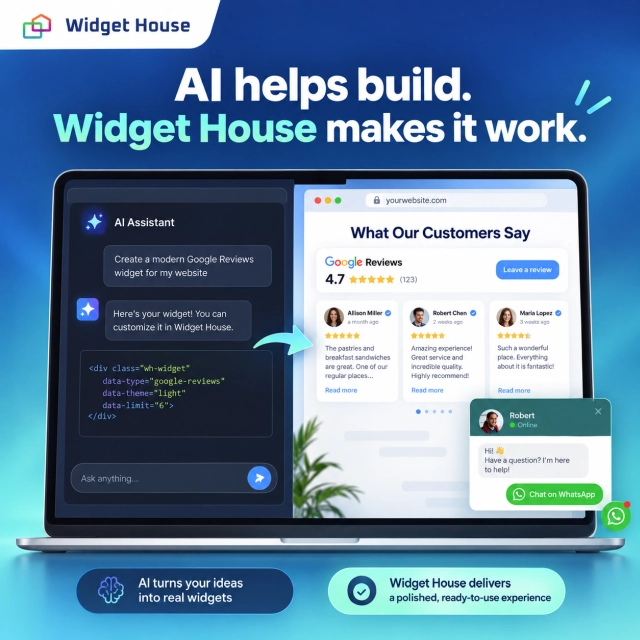
You ask an AI tool to add a review section to your website. It produces a polished layout: customer cards, star ratings, a carousel, and colors that match your brand.
Does that mean you no longer need a widget provider?
Sometimes. For a self-contained component, generated code may be all you need after testing. For Google Reviews, a convincing layout is only the visible part. The reviews still need to come from a real source, the connection needs to work, and someone needs to maintain the result.
The useful distinction is not “AI versus old technology.” It is which part of the job AI is replacing: building the interface, installing the widget, or operating the service behind it.
What Is AI Actually Replacing?
“Add a widget” sounds like one task. In practice, it can mean three different things.
Building the interface
This is the part visitors see: a button, a review card, a form, a slider, or a calculator. An AI coding tool can help create and revise that interface. For example, OpenAI’s Codex documentation describes working with project files, making changes, and running development tools.
Installing it on the website
The component must be connected to the page. That might mean adding an embed snippet, placing a block in a website editor, or importing a component into the site’s code. With the right access, an AI tool can assist with this work too.
Keeping it working
A connected widget also needs its data, credentials, hosting, updates, and failure handling to remain in order. AI can help implement and troubleshoot these parts, but they still have to exist. A conversation that produces code is not, by itself, a running service.
Replacing the person who pastes an embed code is not the same as replacing the product behind that embed.
Which Widgets Can AI Replace More Easily?
Start by asking where the widget’s information comes from and what happens after someone interacts with it.
For a small FAQ accordion, a promotional banner, or a calculator using your own fixed formula, the behavior can stay inside the page. An AI-assisted custom component may replace a separate widget entirely. A built-in feature in your existing website editor may also be enough.
Once the component needs changing external information or must complete a transaction, the scope becomes larger. The following is a practical way to assess the work, not a promise that every AI tool can finish it without supervision.
| Example | What AI can help replace | What still needs attention |
|---|---|---|
| FAQ accordion or banner | The interface and its simple interactions | Correct content, keyboard use, and mobile testing |
| Fixed-formula calculator | The calculation and its presentation | Verified formulas, input validation, and edge cases |
| Contact or chat link | The button and its placement | The correct destination and clear expectations |
| Lead form | The form interface and integration code | Message delivery, validation, privacy, and spam handling |
| Google Reviews widget | Review-card design and connection code | Authentic data, access rules, refresh behavior, and maintenance |
| Live booking widget | The booking interface and integration code | Availability, reservations, conflicts, and confirmations |
A custom build becomes a stronger option when your requirements are narrow, your data is under your control, and someone can own the result after launch.
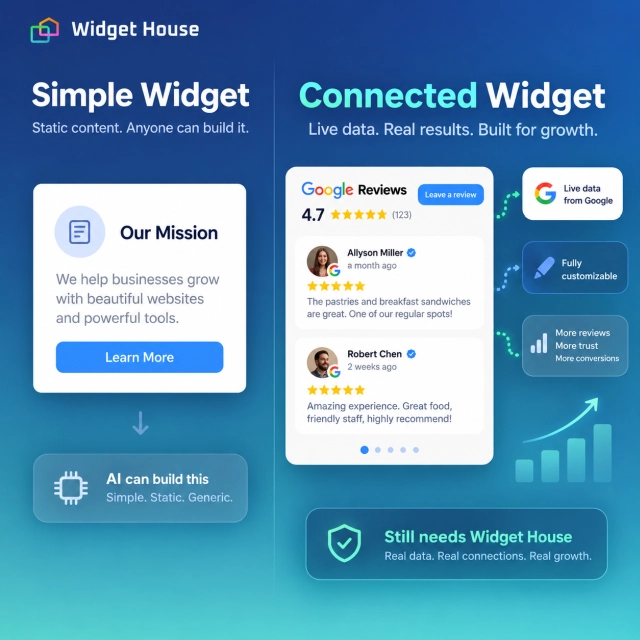
Can AI Replace Copy-and-Paste Widget Installation?
It can replace the manual step in a suitable environment. It does not necessarily replace the embed.
Consider a business that has already configured a reviews widget. Instead of finding the right HTML block and inserting the snippet manually, an AI coding assistant could add the supplied code to the appropriate page, adjust the surrounding spacing, and help test the result. That is an application of the file-editing and tool-running capabilities described in Codex’s documentation.
The important condition is access. A tool that only returns a code block has prepared an installation; it has not changed your website. An assistant connected to your project may be able to make the change, but publishing still depends on the permissions and workflow you have provided.
The website platform also needs to support the chosen integration. A prompt does not make an unsupported script area accept executable code.
When AI inserts a provider’s widget, the provider may still deliver the script, review data, and display logic. The installation experience has changed; the underlying service has not disappeared.
Why Google Reviews Are a Different Kind of Widget
A Google Reviews widget is a good example of the difference between generating a design and delivering a connected product.
Suppose a restaurant asks AI for its Google rating and twenty recent reviews. A layout containing twenty attractive cards does not establish that the restaurant’s real reviews have been retrieved. Before judging the design, ask where those cards get their content.
1. A data source is not included in a design
Different Google APIs provide different kinds of access. The Places API (New) documentation says that a Place’s reviews field returns a maximum of five reviews, ordered by relevance. That is a limited selection, not an export of every review a business has received.
The Google Business Profile review-list endpoint supports pagination for a verified location and requires OAuth authorization with a business-management scope. It is a different, authorized management route—not a way to request every review for any business simply by supplying a public Maps URL.
That distinction changes what you can build. A design that expects a large, date-ordered review collection needs a data connection capable of supplying that collection under the applicable access conditions.
2. External providers add another operating layer
A project may connect directly to a suitable Google API or use a widget service or another data supplier. A separate intermediary is not mandatory for every implementation. When one is involved, however, its coverage, refresh schedule, limits, and failure behavior become part of the product you deliver.
Before choosing that route, ask: Which businesses and review fields are available? How are updates obtained? What happens when the source cannot be reached? Who investigates a mismatch between the website and Google?
Adding a supplier does not automatically establish that its data access or reuse is permitted. Check the actual source and its terms rather than assuming a service label answers those questions.
3. Data use comes with conditions
Google’s Places API policies set requirements for source and author attribution and restrict storing or caching content except where allowed. These rules apply to that API route; a different integration needs to be assessed against its own applicable conditions.
For example, “save every review forever and refresh whenever convenient” is not a safe default architecture. Decide what may be stored, how it may be displayed, and how updates will be handled before shipping the widget.
A team can build a sophisticated Google Reviews integration with AI assistance. The work is not impossible; it is more than the review-card component. The decision is whether your business wants to own that additional system.
What Makes a Widget Production-Ready?
For a business website, “functional,” “tested,” and “customizable” should describe behavior you can verify—not just how convincing a screenshot looks.
Use the same acceptance criteria for AI-generated code and a ready-made widget. Neither deserves a pass simply because of how it was created.
Real content, not an idealized demo
Test with your actual business data. Check long reviews, missing profile pictures, rating-only entries, different text lengths, and source links. Confirm that the displayed rating represents the stated source rather than an average invented from a small selected sample.
Safe access to external services
Credentials need deliberate handling. Google’s Maps Platform security guidance distinguishes browser-side usage from server-side web-service credentials and recommends appropriate application and API restrictions. Do not paste a server secret or unrestricted credential into public page code just because a generated example does so.
Dependable behavior on the actual page
Test on desktop and mobile, after navigation, and when requests fail. Reserve a sensible amount of space. Check that a loading error does not hide your booking button or leave a large broken section. Compare loading and interaction before and after adding the widget.
Customization that remains usable
Look beyond a color picker. Can you choose a layout appropriate to the page, control visual density, keep review text readable, and make future changes without rebuilding everything?
Custom code can offer greater freedom than a product editor. The tradeoff is ownership: every new variation needs to keep working with the underlying data and page behavior. A ready-made product can provide a more convenient set of supported settings, but it also has boundaries.
How to Use AI and a Ready-Made Widget Together
For many business sites, there is no need to choose between AI-assisted development and a purpose-built reviews widget.
Use AI to help plan the page, write the surrounding content, and handle installation work where the tool has access. Use the widget product for the review-source connection and the review presentation you configure.
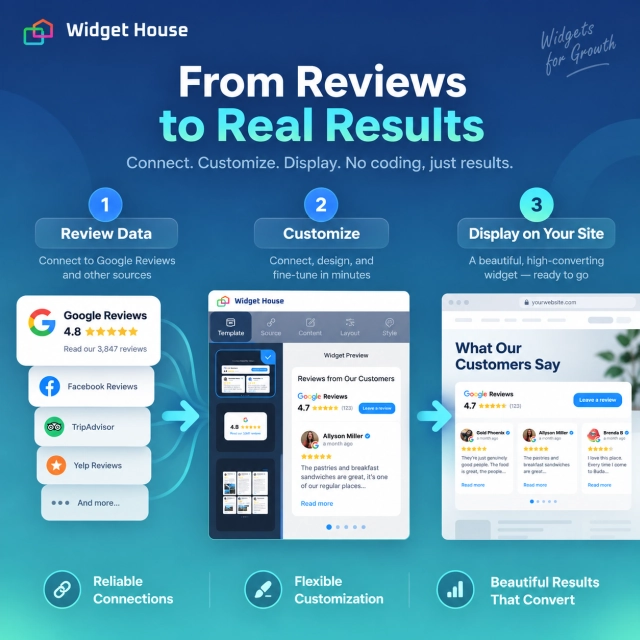
Widget House Google Reviews is built around that ready-made workflow: connect your Google Business Profile, select a layout, adjust the design in the live editor, and add the generated installation code. Its documented settings include layout, colors, typography, and review-card appearance, with responsive display for desktop, tablet, and mobile.
The practical advantage is a different starting point. Instead of commissioning a review system and its settings from scratch, you start with a product you can configure and preview. That is particularly relevant when the goal is a functional, brand-matched review section—not maintaining a custom integration.
Badge
Use a compact rating beside a booking button, contact form, or pricing decision.
Carousel
Give several customer experiences a visible place in a compact homepage or service section.
Slider
Put the emphasis on one review at a time when each comment deserves room.
Grid
Let visitors scan several reviews when they are actively evaluating your business.
The page design and the widget still need to work together. For an embedded review section, choose its position deliberately rather than adding the same large block everywhere.
Try the review section before rebuilding it. Explore the Widget House Google Reviews configurator below, connect your business, and compare layouts against your page’s actual needs.
Check the current plan limits, supported options, and fit with your website before publishing. A ready-made service reduces the custom implementation you take on; it does not eliminate the need to verify the final page.
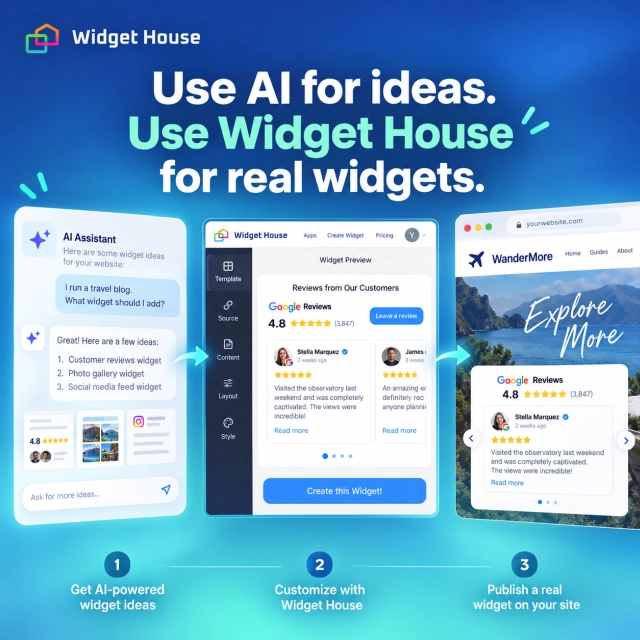
A Practical AI-Assisted Installation Workflow
Once you have chosen a widget service, keep the handoff clear.
- Define the job. Decide whether visitors need a compact trust signal or a section for reading feedback.
- Configure the real widget. Connect the intended business, select the layout, and check the preview with actual reviews.
- Provide the genuine installation code. Give the assistant the code supplied by the provider. Ask it to preserve the loader address and widget identifier rather than inventing replacements.
- Integrate in staging. Where access is available, have the assistant place the widget and adapt the surrounding layout. Otherwise, use its instructions to add the code in your website editor.
- Verify before and after publishing. Check the source, content, mobile layout, navigation behavior, and error handling on the live URL.
State the outcome you expect: “Install this existing widget and verify its live display,” not merely “make a review section that looks like this screenshot.” That separates integration work from a visual prototype.
When Should You Build—and When Should You Use a Widget Service?
Compare the complete job, not the price of generating the first code snippet.
Build with AI assistance when…
The component is self-contained, the data is yours, or your requirements are specific enough to justify a custom system. You also have someone responsible for testing, updates, and troubleshooting.
Use a ready-made service when…
You need a configurable review section, a supported installation workflow, and a product your team can manage without owning the integration code. Its available settings and limits fit the job.
For a custom connected widget, estimate development and review time, hosting, any data or API charges, testing, monitoring, and future fixes. For a service, consider the subscription, usage limits, installation work, and dependency on that provider.
Neither route is automatically cheaper or faster. A small custom component may have very little overhead. A complex review integration may be a poor use of internal development time when a configurable product already meets the requirement.
Choose based on the system you want to own after launch—not just the interface you can generate today.
Final Verdict: AI Changes the Workflow, Not Every Dependency
AI can replace some simple widgets, help build more complex ones, and take over parts of traditional installation. That is a meaningful change.
But for Google Reviews, drawing the cards is not the whole product. Authentic review data, permitted access, updates, secure connections, customization, and real-world testing remain part of the job.
Create Google Reviews WidgetFrequently Asked Questions
Can AI build a complete Google Reviews widget from scratch?
AI can assist with both the interface and the supporting code. A complete solution still needs a suitable review source, authorization where required, deployment, and an owner for ongoing operation. The Places API and Business Profile API provide different access models; choose the connection before promising what the widget can display.
Does an AI-generated widget need AI every time someone visits the page?
Not necessarily. When AI is only used to write ordinary website code, that code can run without a model call. An AI service becomes a runtime dependency only when the implemented feature calls it—for example, to generate answers during a visit.
Does “no API key required” mean there is no external data dependency?
No. It may mean the provider manages the connection instead of asking you to supply a credential. Ask what data is available, how it is refreshed, and what limits apply. A simpler setup does not mean the source has disappeared.
Can I use a ready-made widget on an AI-built website?
Yes, provided the website supports the required embed or integration. For Widget House, use the generated installation code in a supported code area, then check the published page. How the surrounding website was created does not by itself determine whether the embed can run.