Getting the installation code for a Widget House widget takes only a few minutes. Follow the steps below to create a project, set up your widget, and add it to your website.
1. Create a new project
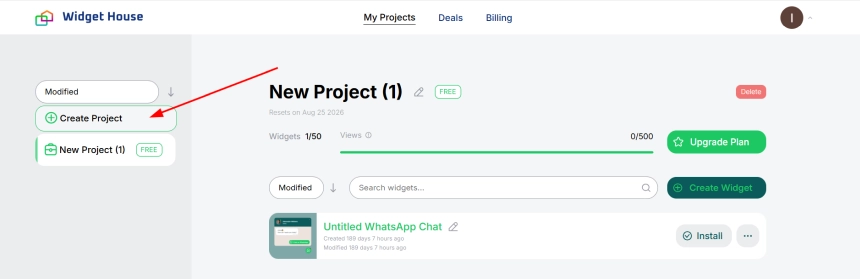
Sign in to your Widget House account and open the "My Projects" section. Click "Create Project" in the left-hand menu.
2. Choose a plan
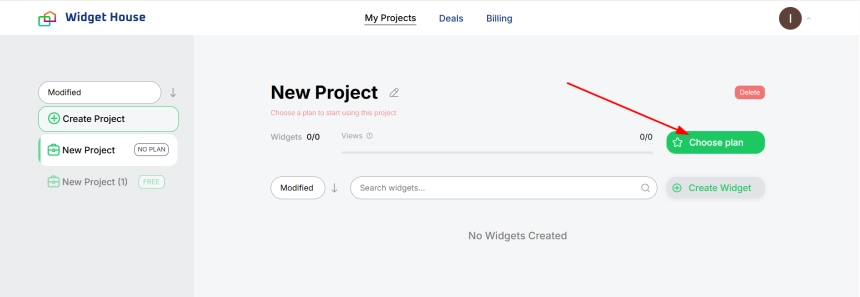
Open the newly created project and click "Choose plan". A plan must be connected to the project before you can create and publish widgets.
3. Apply a plan to the project
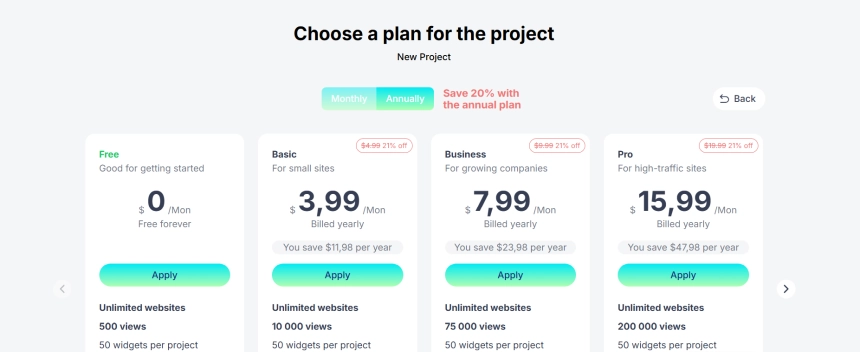
Choose the plan that best suits your needs. You can start with the "Free" plan or select one of the paid plans for higher view limits and additional capabilities.
Click "Apply" under the selected plan.
4. Create a widget
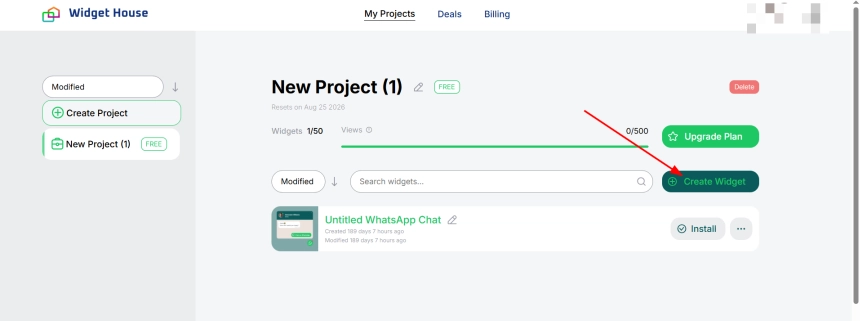
Return to your project and click "Create Widget". Select the widget you want to add to your website and choose a template to start customizing it.
5. Customize your widget
Use the Widget House editor to configure your widget. Depending on the selected widget, you can:
- choose a template;
- connect the required source or account;
- edit the content and details;
- configure widget behavior;
- adjust colors, fonts, layout, and other style settings.
You can preview all changes in real time on the right side of the editor.
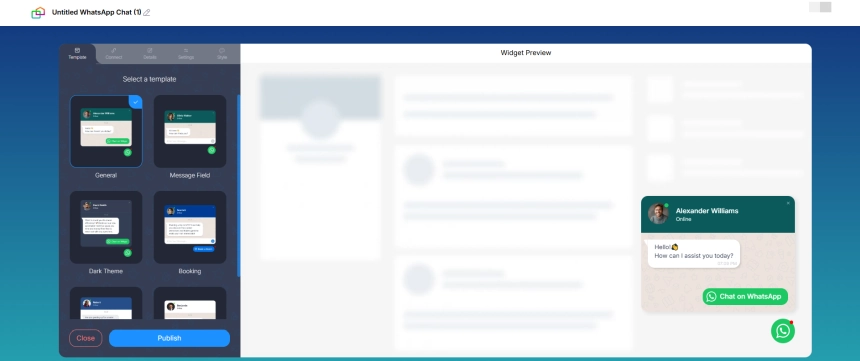
6. Publish your widget
Once you are satisfied with the widget settings, click "Publish". This saves your changes and makes the widget ready for installation.
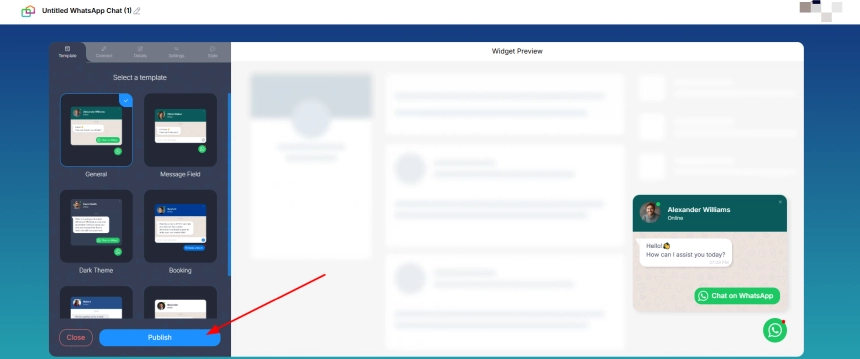
7. Open the installation window
Return to the project page and click "Install" next to the widget you want to add to your website.
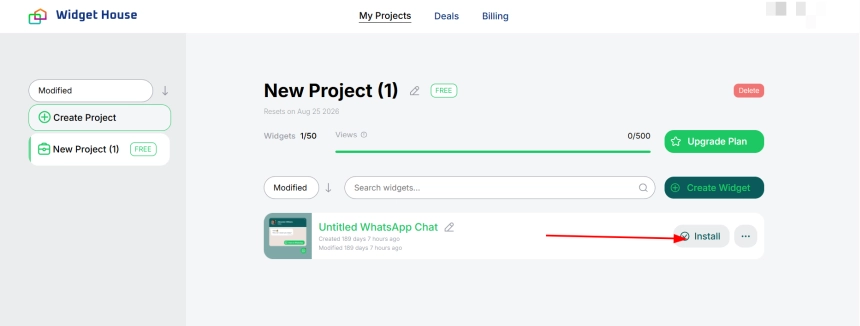
8. Copy and add the installation code
In the "Embed Code" tab, click "Copy code". Paste the complete code into the required location in your website's HTML or custom code section.
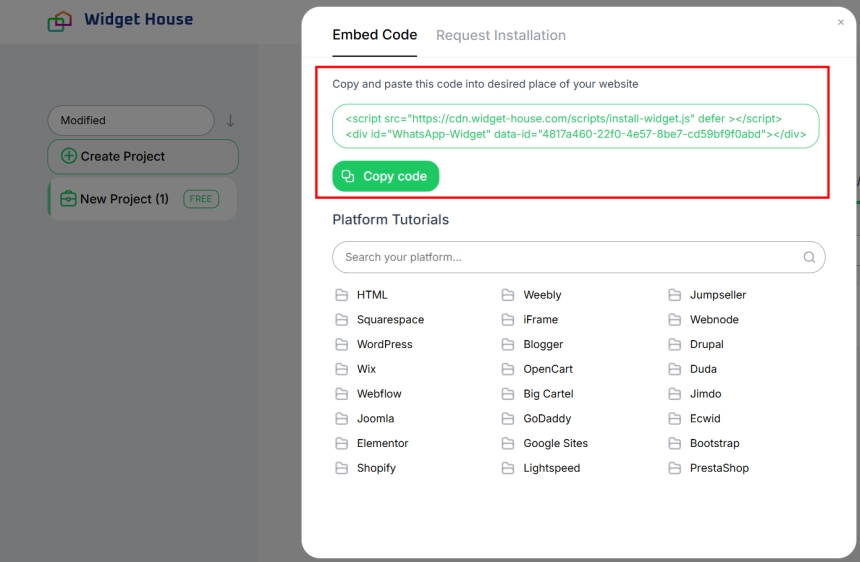
You can also use one of the platform-specific tutorials available in the installation window. Widget House provides instructions for WordPress, Shopify, Wix, Webflow, Squarespace, Webnode, Drupal, OpenCart, and other website platforms.
Need a hand?
If you have any questions about setting up your widget or adding the code to your website, contact the Widget House support team at support@widget-house.com.
You can also open the "Request Installation" tab in the installation window to request assistance with adding the widget to your website.