
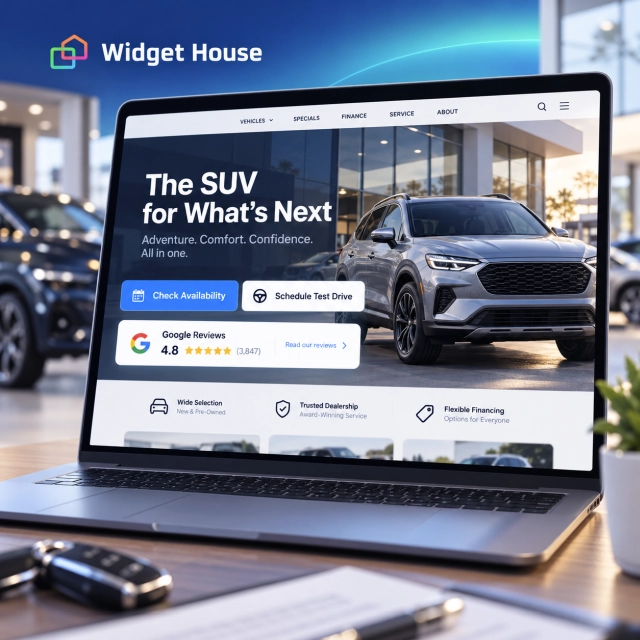
Buying a car is rarely a one-page decision. A shopper may discover a dealership in Google, browse inventory, compare similar vehicles, check financing or trade-in options, read reviews, submit a lead form, and only then decide whether the dealership deserves a visit.
That makes Google Reviews especially useful for dealerships. The vehicle may attract attention, but the dealership experience often decides whether the shopper sends an inquiry, schedules a test drive, or keeps comparing other sellers.
Why Google Reviews Matter for Car Dealerships
The shopper is evaluating both the vehicle and the business behind the vehicle.
A listing can answer questions about price, mileage, trim, color, and equipment. Reviews help answer a different set of questions: Was the salesperson straightforward? Did the advertised vehicle match reality? Was the trade-in process clear? Did financing feel transparent? Was the delivery experience organized? Did the service department communicate well after the sale?
Google has a dedicated Business Profile guide for auto dealers and describes Business Profile as a way for dealerships to manage local information and customer feedback across Search and Maps. Google also says local results are mainly based on relevance, distance, and prominence, and that more reviews and positive ratings can help local ranking.
Sources: Google - About the guide for auto dealers and Google - Tips to improve your local ranking.
Use Case: From Vehicle Search to a Test Drive
The strongest review placement follows the shopper through the same steps they already take when researching a car.
1. Discovery
The shopper searches for a dealership, vehicle category, brand, model, or “cars near me” in Google Search or Maps.
2. Inventory research
They open the dealership website, compare vehicles, check photos, specifications, pricing, availability, and financing or trade-in information.
3. Trust verification
Before submitting personal information, they look for evidence that the dealership is responsive, transparent, professional, and worth visiting.
4. Lead or appointment
They request a price, ask about availability, value a trade, apply for financing, call the dealership, or schedule a test drive.
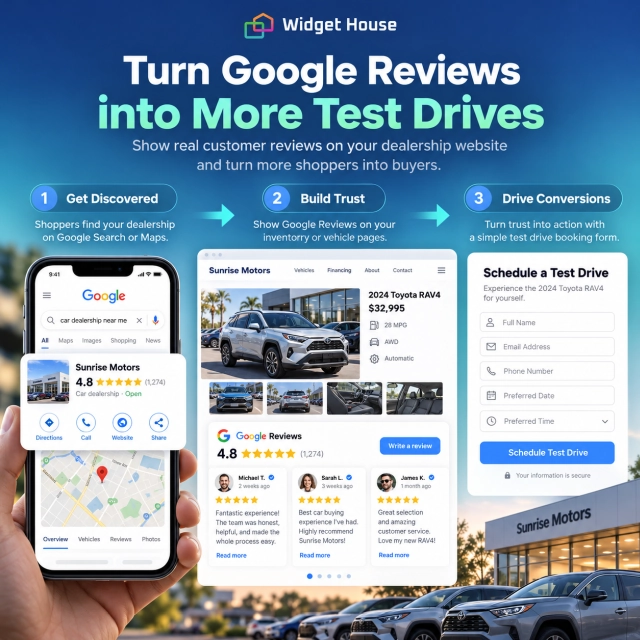
A review widget works best when it reduces doubt immediately before the shopper gives the dealership their time or contact details.
What Car Shoppers Look for in Dealership Reviews
A 4.8 rating is useful. The review text explains what the buying experience may actually feel like.
Sales transparency
Did the salesperson explain the vehicle, pricing, options, and next steps clearly without creating unnecessary pressure?
Vehicle accuracy
Was the car available when promised and did its condition, features, and description match what the shopper saw online?
Financing experience
Were loan options, payments, fees, add-ons, and paperwork explained clearly enough for the buyer to understand the deal?
Trade-in process
Did the customer feel the appraisal process was organized, understandable, and handled professionally?
Speed and communication
Did the dealership respond to calls and online inquiries quickly, keep appointments, and avoid making the buyer repeat information?
After-sale support
Did delivery, follow-up, service scheduling, warranty questions, or later support reinforce the confidence created during the sale?
Best Google Reviews Widget Placements for Dealership Websites
Different dealership pages create different levels of purchase intent, so the review layout should change with the page.
| Page | Customer decision | Recommended layout |
|---|---|---|
| Homepage | Is this dealership credible enough to explore? | Badge near the main CTA + Carousel lower on the page |
| Vehicle detail page | Should I contact this dealer about this vehicle? | Badge near Check Availability / Get Price, or compact Slider |
| Test-drive form | Should I give this dealer my contact information and commit time to a visit? | Badge beside or directly above the form |
| Trade-in / financing | Can I trust this dealership with a more complex transaction? | Slider or Carousel with detailed experiences |
| Service department | Should I book maintenance or repair here? | Reviews from the matching service profile when available |
| Location / reviews page | I want to investigate the dealership in depth. | Grid or Wall |
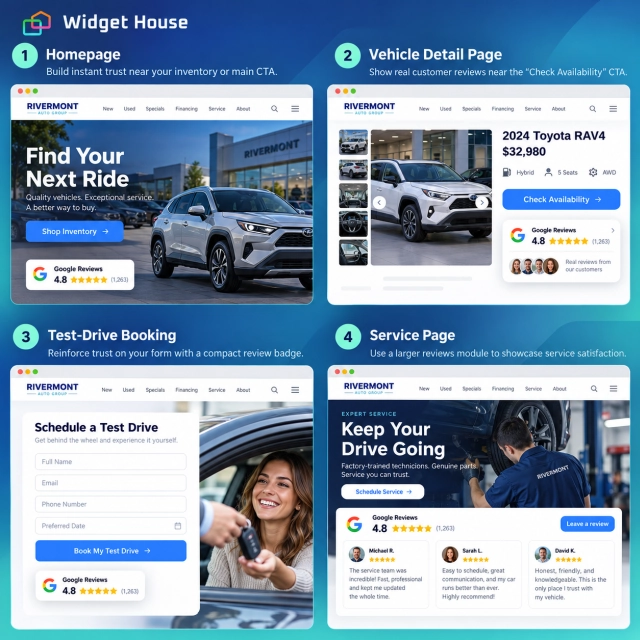
Widget House supports compact and richer Google Reviews layouts that can be customized to fit the surrounding dealership design. A Badge works close to high-intent CTAs, while Carousel, Slider, and Grid layouts give shoppers more depth without forcing the same review block onto every page.
Sources: Widget House - Google Reviews Widget and Widget House - Google Reviews Widget Layouts for Every Page.
Use Dealership Reviews Carefully on Vehicle Detail Pages
Vehicle detail pages are high-intent pages, but dealership reviews and vehicle-specific facts are not the same thing.
If a review says, “The team made buying my SUV easy,” that is useful evidence about the buying experience. It should not be presented as if the review verifies the mechanical condition, history, price, or availability of the exact SUV currently shown on the page unless the review actually refers to that vehicle.
A good structure is simple:
- keep vehicle facts in the inventory data and dealership copy;
- use a compact review Badge near Check Availability or Schedule Test Drive;
- place a richer review section farther down the page if visitors need more dealership-level proof;
- avoid headlines that make broad dealership reviews sound like reviews of the exact car.
Match Reviews to Sales, Service, and Parts
Car dealerships are unusual because Google allows multiple Business Profiles for different customer-facing parts of the same dealership.
Google says dealerships can have a profile for the dealership itself and additional profiles for departments such as sales, parts, or service. New-car dealerships can also have profiles for each brand of new cars sold, while used-car dealerships cannot create brand-specific profiles in the same way.
Source: Google - Sign up for a Business Profile for a car dealership.
This matters when choosing a review source for the website. A sales-focused vehicle page should not automatically show service-department reviews if those reviews are coming from a separate Business Profile. Likewise, a service appointment page may benefit more from feedback about maintenance, communication, repair quality, and scheduling than from reviews of the sales process.
Sales pages
Use the dealership or relevant sales/brand profile to support inventory, pricing inquiries, trade-ins, and test-drive decisions.
Service pages
If the service department has its own eligible Business Profile, use the review source that reflects the actual service experience.
How Dealerships Can Ask for Google Reviews
Ask after a genuine customer experience and keep the request neutral.
Google allows businesses to create and share a direct review link or QR code. Suggested channels include receipts, thank-you emails, chat interactions, and in-store QR codes. For a dealership, useful moments include vehicle delivery, a completed service visit, a resolved support interaction, or a follow-up message after the customer has had time to experience the vehicle.
Do not offer a discount, free accessory, fuel card, service credit, upgrade, prize entry, or other benefit in exchange for a Google review. Google prohibits incentives for Maps reviews. The FTC also prohibits compensation that is conditioned, expressly or implicitly, on a review expressing a particular sentiment.
Sources: Google - Create a review link or QR code and FTC - Consumer Reviews and Testimonials Rule Q&A.
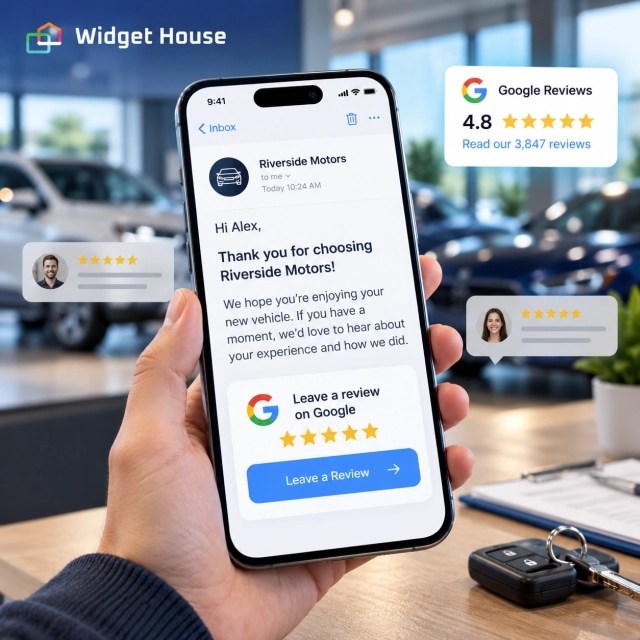
For neutral request templates and a consistent follow-up process, see How to Get More Google Reviews.
How Widget House Fits the Car Dealership Use Case
A dealership website already has enough moving parts: inventory feeds, finance forms, trade-in tools, CRM integrations, scheduling, and service workflows. Review display should not become another custom system to maintain.
With the Widget House Google Reviews Widget, a dealership can connect the relevant Google Business Profile, choose a layout, customize the appearance, preview the result, and place the widget where it supports the next customer decision.
Preview your dealership’s Google Reviews and compare Badge, Carousel, Slider, and Grid layouts before placing them beside inventory CTAs, lead forms, financing tools, or test-drive booking.
A Simple Implementation Plan for a Dealership Website
- Start with high-intent actions. Add a compact rating near Schedule Test Drive, Check Availability, Get Price, or Contact Dealer.
- Add deeper proof to inventory browsing. Use a Carousel or Slider where shoppers compare the dealership experience as well as vehicles.
- Support complex decisions. Financing and trade-in pages benefit from detailed reviews about transparency, communication, and ease of process.
- Separate sales from service when the sources are separate. Match the connected Google Business Profile to the page’s actual customer experience.
- Keep vehicle facts outside the review widget. Reviews should not substitute for accurate inventory, pricing, availability, disclosures, or condition information.
- Request reviews neutrally. Follow up after purchases and service visits without incentives or selective positive-review requests.
- Test mobile lead flow. Make sure the widget supports the CTA rather than pushing the form or test-drive button too far down the page.
Frequently Asked Questions
Where should a dealership put a Google Reviews widget?
Start near high-intent actions such as Schedule Test Drive, Check Availability, Get Price, Contact Dealer, Value Your Trade, and service booking. Add richer review sections on the homepage, financing pages, service pages, and a dedicated reviews or location page.
Should Google Reviews appear on individual vehicle pages?
Yes, but use them as dealership-level trust proof. Do not imply that a general dealership review verifies the exact vehicle’s condition, pricing, history, or availability unless the review actually refers to that vehicle.
Can a dealership use different review sources for sales and service?
Potentially. Google allows car dealerships to maintain additional eligible Business Profiles for departments such as sales, service, and parts. If separate profiles exist, match the review source to the customer journey shown on that page.
Which layout is best beside a test-drive form?
A compact Badge is usually the safest choice because it adds reassurance without competing with the form. A Slider or Carousel can work lower on the page if shoppers need more detailed feedback.
Can a dealership offer a gift card for a Google review?
No. Google prohibits incentives in exchange for Maps reviews. Review requests should be neutral and based on genuine customer experiences.
Final Takeaway: Put Reputation Next to the Next Automotive Decision
Dealership reviews are most valuable when they appear at the moment a shopper is deciding whether to trust the dealership with the next step.
That may be a test drive, a price request, a trade-in appraisal, a financing form, or a service appointment. The right Google Reviews layout gives the shopper enough social proof to continue without turning every inventory page into a giant testimonial wall.