
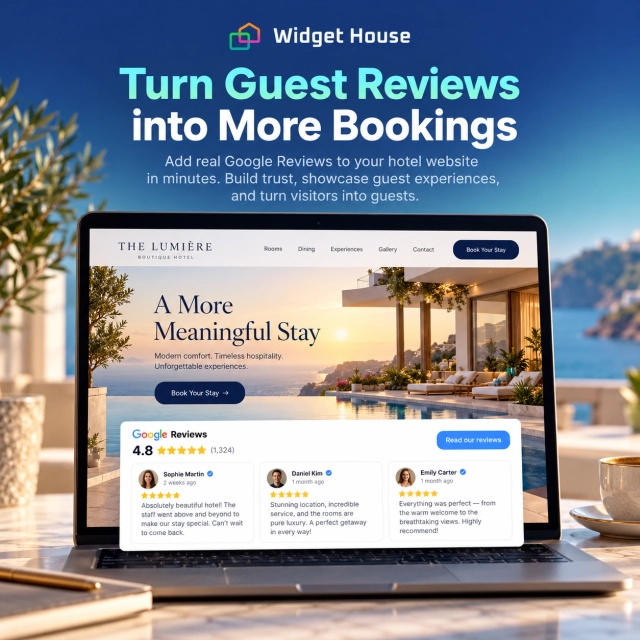
Hotel guests rarely make a booking decision from one page or one signal. They may discover a property in Google Search or Maps, compare it with alternatives, scan ratings and photos, open the hotel website, check rooms and amenities, then decide whether to book directly or keep looking.
A Google Reviews widget can support that decision without turning the hotel website into another review platform. Its job is to bring recognizable guest proof into the parts of the site where visitors are evaluating the property, the room, the location, and the booking itself.
Why Google Reviews Matter for Hotels and Hospitality Businesses
Hospitality is a high-consideration purchase. Travelers are choosing more than a bed: they are choosing an experience they cannot fully inspect before arrival.
Google lets hotels maintain Business Profiles that can appear across Search and Maps. Google also says local results are mainly influenced by relevance, distance, and prominence, and that more reviews and positive ratings can help local ranking.
For a hotel visitor, review text can answer questions that room descriptions and polished photography cannot answer on their own:
- Are the rooms actually clean and quiet?
- Is the staff helpful when something goes wrong?
- Does the property feel safe and well maintained?
- Is the location convenient for the trip the guest is planning?
- Do guests like the breakfast, pool, spa, parking, Wi-Fi, or other amenities?
- Does the real stay match the positioning shown on the hotel website?
That makes reviews particularly useful when a traveler moves from discovery into verification and direct booking.
Sources: Google - Get started with a hotel Business Profile and Google - Tips to improve your local ranking.
Use Case: From Hotel Discovery to Direct Booking
The strongest role for a review widget is to reduce uncertainty as the guest moves closer to a booking decision.
1. Discovery
A traveler finds the hotel through Google Search, Google Maps, travel research, an ad, social media, an AI recommendation, or a referral.
2. Comparison
They compare rating, review volume, photos, room types, price, location, amenities, and competing properties.
3. Website verification
They open the hotel website to inspect rooms, policies, dining, spa or pool facilities, parking, nearby attractions, and booking conditions.
4. Booking
They check availability, reserve a room, call the property, or save the hotel for a later decision.
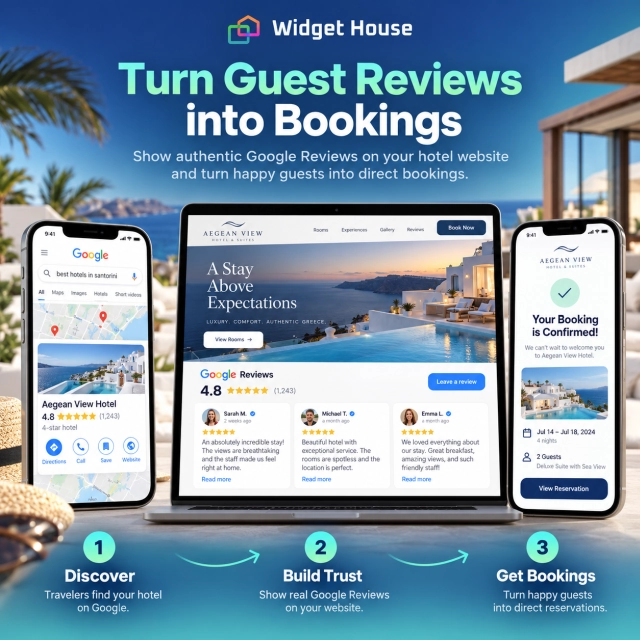
The hotel website should confirm the reputation the guest already encountered during discovery and make the direct booking path feel trustworthy.
Best Google Reviews Widget Placements for Hotel Websites
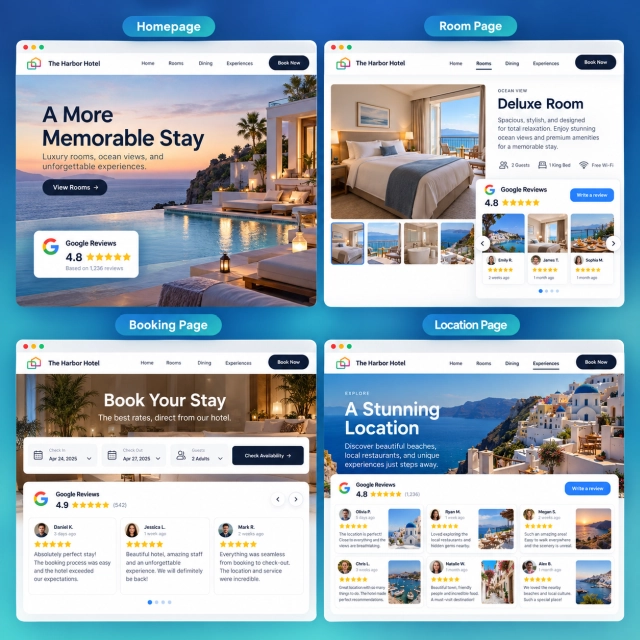
Use compact proof beside booking actions and deeper review sections where guests are evaluating the stay in more detail.
| Page or section | Recommended layout | Why it fits |
|---|---|---|
| Homepage hero | Badge | Shows the hotel’s rating beside Check Availability or Book Your Stay without taking attention away from the primary CTA. |
| Homepage proof section | Carousel or Carousel Photos | Lets travelers browse several guest experiences in a compact section, with photos adding useful context when available. |
| Rooms and suites | Slider or Carousel | Adds guest proof near room information without turning the room page into a full review archive. |
| Amenities, dining, spa, or resort facilities | Carousel Photos | Hospitality is visual, so guest photos can reinforce what the property claims about views, facilities, atmosphere, and experiences. |
| Booking or availability page | Badge | Adds reassurance close to the booking form without distracting from dates, rates, and room selection. |
| Location or dedicated reviews page | Grid or Wall | Gives travelers more depth when they intentionally want to research guest experiences before committing. |
Widget House’s layout guide recommends Badge for fast reassurance, Carousel or Slider for compact social proof, Grid for deeper evaluation, and Carousel Photos for visual categories including hospitality.
Source: Widget House - Google Reviews Widget Layouts for Every Page.
Example: A Room or Suite Page
A room page should sell the room first. Reviews should answer the questions that specifications and professional photography leave open.
The page should still provide the essential booking information: room size, bed configuration, occupancy, amenities, cancellation terms, availability, and the hotel’s own photography.
Reviews then add a separate layer of proof. A traveler may care whether guests describe the room as quiet, the bed as comfortable, the view as worthwhile, housekeeping as reliable, or the location as convenient.
Reviews should support
- Confidence in room quality and cleanliness
- Confidence in service and staff
- Trust in the location and amenities
- Reassurance before booking directly
Reviews should not replace
- Accurate room descriptions
- Rates and booking conditions
- Your own room and property photography
- Clear amenity and accessibility information
Why Photo Reviews Are Especially Useful in Hospitality
Hotels sell an experience that is strongly visual: rooms, views, pools, beaches, restaurants, lobbies, spas, event spaces, and the surrounding destination.
That makes Carousel Photos particularly relevant when reviews contain useful guest images. A traveler can see how a real guest experienced the room or property instead of relying only on polished marketing photography.
Guest photos should complement, not replace, the hotel’s own image library. Professional photography gives the property a consistent presentation; review photos provide independent context.
Source: Google - Understand business summaries on Google Maps.
For Hotel Groups: Match Reviews to the Correct Property
A hotel group should avoid using one generic review section everywhere if each property has a different guest experience and Google Business Profile.
A practical structure is:
Brand homepage
Use brand-level messaging and, if appropriate, a compact reputation signal that does not imply every property has identical reviews.
Individual hotel page
Connect and display reviews for that specific property so the proof matches the rooms, location, amenities, and booking CTA on the page.
Destination or location page
Use reviews from the property being promoted rather than mixing feedback from unrelated locations.
Booking flow
Keep the trust signal concise and property-specific so the guest knows the rating belongs to the hotel they are about to reserve.
This keeps the website consistent with what the traveler saw during local discovery and reduces the risk of confusing one property’s reputation with another.
How Hotels Can Ask Guests for Google Reviews
The best timing is after a real stay, when the guest has enough experience to give meaningful feedback.
Google allows businesses to create a direct review link or QR code and suggests sharing it in places such as thank-you emails, receipts, chat interactions, and in-store displays.
For hotels, practical review-request moments include:
- a post-checkout thank-you email;
- a follow-up message in the hotel’s approved guest communication flow;
- a neutral QR code on a checkout receipt or departure card;
- a direct review link after the guest has completed the stay.
Do not offer room upgrades, late checkout, loyalty points, discounts, free breakfast, or other benefits in exchange for a Google review. Google also prohibits selectively asking only satisfied guests for positive reviews or pressuring guests to leave a rating while they are still on the premises.
Sources: Google - Create a review link or QR code and Google Maps - Prohibited & restricted content.
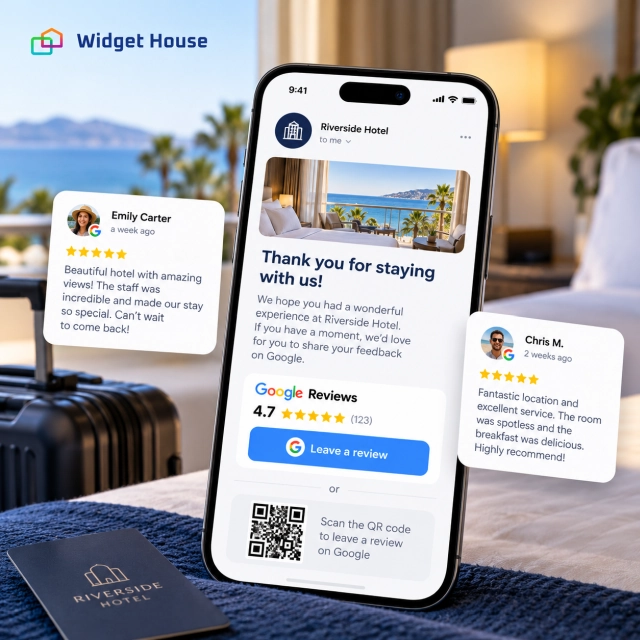
For neutral request templates and a consistent review collection process, see How to Get More Google Reviews.
How Widget House Fits the Hotel & Hospitality Use Case
The goal is not to build another booking platform or review database. It is to bring current Google review proof into the hotel’s own direct-booking journey.
With the Widget House Google Reviews Widget, a hotel can connect its Google Business Profile, choose a review layout, customize the presentation, preview the result, and install the finished widget on the website.
A practical setup might look like this:
Rooms and suites
Use Slider or Carousel to add focused guest proof beside room information.
Location or reviews page
Use Grid when travelers want to browse more experiences before booking.
Booking flow
Return to a compact Badge so the guest sees the hotel’s reputation without being pulled away from the reservation task.
Preview Badge, Carousel, Slider, Grid, and other Google Reviews layouts in Widget House and choose the format that fits naturally around your hotel booking journey.
Product reference: Widget House - Google Reviews Widget for Website.
A Simple Implementation Plan for a Hotel Website
1. Put fast proof near booking
Add a Badge beside the main booking CTA on the homepage and close to the reservation flow.
2. Add deeper proof to room pages
Use Slider or Carousel where travelers are deciding between room types, rates, or packages.
3. Use visual reviews for amenities
Use photo-rich review layouts when guest images help explain pools, views, restaurants, spa areas, or resort facilities.
4. Keep each property specific
For multi-property groups, match each hotel page with the correct review source and rating.
5. Request reviews after the stay
Send a neutral review link after checkout without incentives or pressure.
6. Check mobile booking
Make sure the widget supports the booking journey on mobile instead of pushing room rates or availability too far down the page.
Frequently Asked Questions
Where should a hotel place a Google Reviews widget?
Start with a compact Badge near Check Availability or Book Your Stay. Add Carousel or Slider on room and amenity pages, and use Grid or a larger review layout on dedicated guest-experience or location pages.
Should hotels display reviews on the booking page?
Yes, but keep the format compact. The booking page should stay focused on dates, rates, room selection, and payment. A Badge can provide reassurance without adding a large distraction.
Are photo reviews useful for hotels?
They can be especially useful because rooms, views, pools, dining, and other amenities are visual. Use guest photos as supporting proof, while keeping your own professional photography as the primary visual presentation.
Can a hotel offer loyalty points or a free upgrade for a Google review?
No. Google prohibits incentives such as discounts, free goods or services, or other benefits in exchange for reviews, review changes, or removal of negative reviews.
Will the widget show every hotel review visible in Google Maps?
Not necessarily. Google notes that hotel review sections in Maps can include reviews from Google users and eligible third-party providers. Widget House displays reviews from the Google Business Profile connected to the widget.
Final Takeaway: Put Guest Proof Where Booking Decisions Happen
Used this way, a Google Reviews widget complements room content, photography, amenities, and direct booking rather than competing with them.