
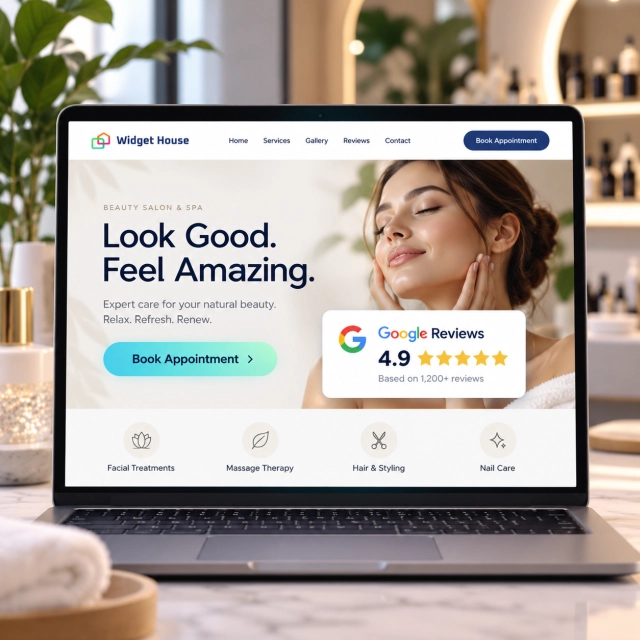
Beauty clients often discover a salon or spa before they ever visit its website. They may find it in Google Search, Google Maps, Instagram, TikTok, an ad, a friend’s recommendation, or an AI-assisted local search result.
By the time they reach the website, they are usually not asking one question. They are checking several at once: Does this place look trustworthy? Are people happy with the results? Is the atmosphere right for me? Can I book the service I want without uncertainty?
Why Google Reviews Matter for Beauty Salons and Spas
Beauty is both personal and visual. A client is evaluating the result, the professional, the environment, and the overall experience at the same time.
Google uses business information to surface local results, and even gives hair salons as an example of businesses that may appear for searches such as “salons near me” or “salons open now.” Google also says local ranking is mainly based on relevance, distance, and prominence, and that more reviews and positive ratings can help local ranking.
Once a potential client clicks through to the website, review text can answer questions that a service list or price menu cannot answer on its own:
- Do clients consistently like the results?
- Does the team feel professional, welcoming, and attentive?
- Is the salon clean, comfortable, and well organized?
- Are appointments handled on time?
- Do clients feel listened to before a haircut, color service, facial, massage, manicure, or other treatment?
- Does the atmosphere match the premium, relaxing, or friendly positioning shown on the website?
That makes reviews particularly useful at the moment when a visitor is deciding whether to move from browsing to booking.
Sources: Google - How Business Profile information is used in local search and Google - Tips to improve your local ranking.
Use Case: From “Salon Near Me” to Appointment
The review widget works best when it supports the natural client journey rather than sitting on the site as a separate testimonials block.
1. Discovery
A potential client finds the salon or spa through Google, Maps, social media, an ad, an AI recommendation, or word of mouth.
2. First impression
They compare rating, review count, photos, location, opening hours, price positioning, and competing businesses nearby.
3. Website verification
They open the website to inspect services, pricing, stylist or therapist information, photos, policies, and appointment availability.
4. Booking
They choose a service, book an appointment, call the salon, or save the location for later.
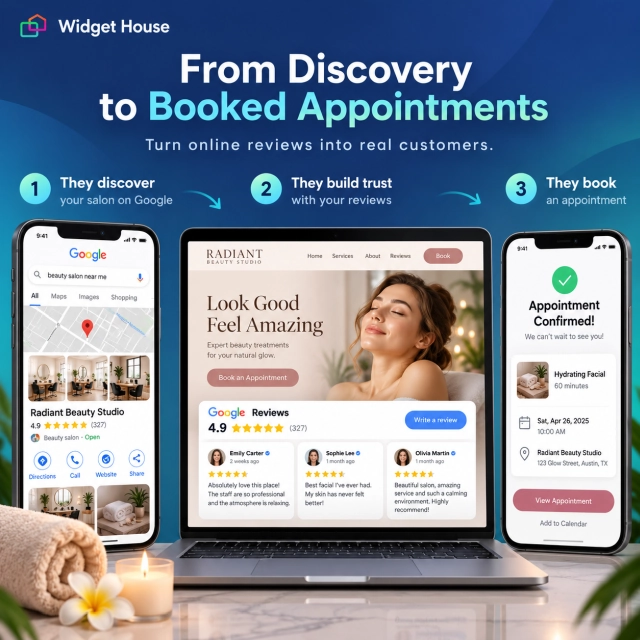
The website should confirm the reputation the client already saw during discovery and make booking feel like the obvious next step.
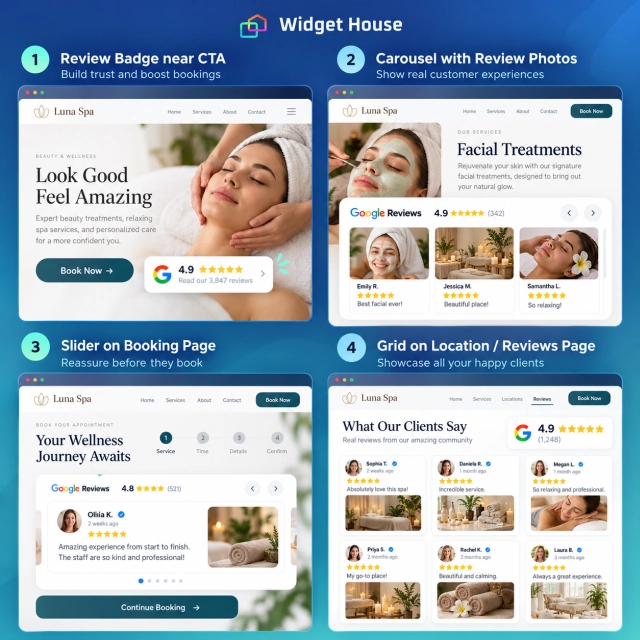
Best Google Reviews Widget Placements for Beauty Salons & Spas
Use a compact format near high-intent actions and richer formats where clients have more time to evaluate the experience.
| Page or section | Recommended layout | Why it fits |
|---|---|---|
| Homepage hero | Badge | Adds immediate reputation proof beside Book Appointment without competing with the main message. |
| Homepage proof section | Carousel Photos | Beauty is highly visual, so customer photos can add context when the review itself includes useful imagery. |
| Service or treatment page | Slider or Carousel | Supports a specific decision without turning the page into a full review archive. |
| Booking page | Badge | Provides reassurance close to the booking form while keeping the task focused. |
| Location page | Grid | Gives more depth when visitors are comparing a specific branch, neighborhood, staff, atmosphere, and convenience. |
| Dedicated reviews page | Grid or Wall | Visitors who intentionally open a reviews page are willing to spend more time exploring social proof. |
Widget House specifically recommends Carousel Photos for categories where customer results or the experience are visual, including salons, beauty, and wellness businesses.
Source: Widget House - Google Reviews Widget Layouts for Every Page.
Example: A Hair Color or Facial Treatment Page
A treatment page already contains a lot of decision-making information. Reviews should reinforce it, not repeat it.
Imagine a client is considering a hair color service, facial, massage, manicure, lash treatment, or another appointment-based beauty service. The page should first explain the service itself: what it is, who it is for, what the process involves, how long it takes, and what the booking options are.
Reviews then provide a different layer of proof. They can help the visitor understand whether real clients describe the business as attentive, professional, clean, comfortable, consistent, or easy to book.
Reviews should support
- Confidence in the salon or spa
- Confidence in the overall client experience
- Trust near the booking decision
- Visual context when review photos are available
Reviews should not replace
- Clear service descriptions
- Pricing and duration information
- Professional treatment guidance
- Your own portfolio or gallery
Why Visual Review Layouts Work Especially Well for Beauty Businesses
Beauty clients often want to see the result, not only read about it. That is why a visual review format can be more useful here than in many other industries.
Carousel Photos can be a strong fit when Google reviews include relevant customer images. A visitor can scan a review, see a real-world visual cue, and continue through the page without opening a large gallery of feedback.
However, the widget should not become the salon’s only visual portfolio. Customer-submitted images vary in lighting, framing, and quality. Your website gallery still gives the business control over how services, staff, interiors, and finished work are presented.
How Beauty Salons and Spas Can Ask for Google Reviews
The best review request is easy, neutral, and tied to a real client experience.
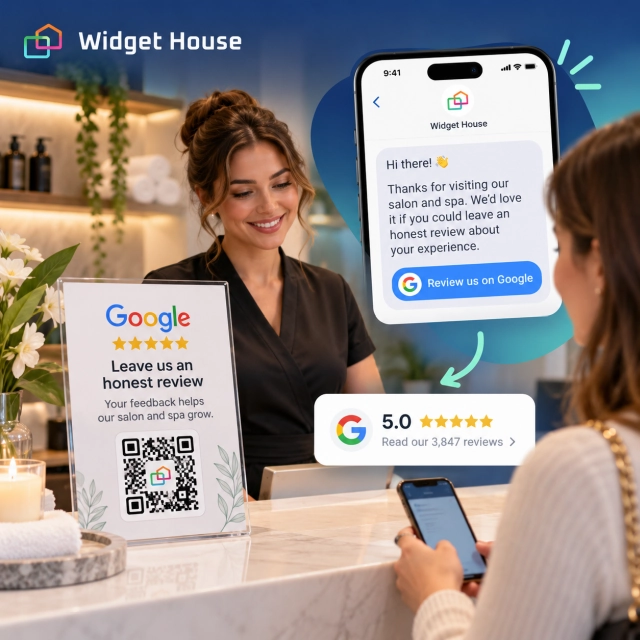
Google lets businesses create a direct review link or QR code. Google suggests sharing it through receipts, thank-you emails, chat interactions, or an in-store QR display.
For salons and spas, practical review-request moments can include:
- a follow-up email or message after the appointment;
- a neutral QR code on the checkout desk or printed receipt;
- a booking follow-up message after the service is complete;
- a direct review link sent through an approved customer communication channel.
Do not offer discounts, free add-ons, loyalty points, gifts, or other incentives in exchange for Google reviews. Google also prohibits selectively asking only happy customers for positive reviews.
For beauty businesses, one extra rule is particularly relevant: do not tell clients what to write. Google’s policy says merchants should not request specific review content, including content that identifies a staff member. Ask for an honest review and let the client decide what mattered.
Sources: Google - Create a review link or QR code and Google Maps - Prohibited & restricted content.
For neutral request templates and a consistent review collection process, see How to Get More Google Reviews.
How Widget House Fits the Beauty Salon & Spa Use Case
The goal is not to build a separate testimonials system. It is to place current Google review proof where it supports booking decisions.
With the Widget House Google Reviews Widget, a salon or spa can connect its Google Business Profile, choose a review layout, customize the presentation, preview the result, and install the finished widget on the website.
A practical setup might look like this:
Service pages
Use Slider or Carousel to add customer proof without overwhelming the service information.
Location pages
Use Grid when clients need more depth before choosing a branch or neighborhood.
Booking
Return to a compact Badge so reviews reassure the visitor without distracting from the booking form.
Preview Badge, Carousel, Slider, Grid, and other Google Reviews layouts in Widget House and choose the format that fits naturally around your salon or spa booking flow.
Product reference: Widget House Google Reviews workflow.
A Simple Implementation Plan for a Beauty Website
1. Put fast proof near booking
Add a Badge near the primary Book Appointment CTA on the homepage and booking flow.
2. Add richer proof to key services
Use Carousel, Carousel Photos, or Slider where clients spend more time evaluating a service or treatment.
3. Give locations more depth
Use Grid on location or reviews pages for visitors who want to explore more feedback before choosing a branch.
4. Make review requests routine
Send a neutral review link after real appointments and avoid incentives, review gating, or scripted wording.
For the difference between local ranking and review proof on your website, read Do Google Reviews on Your Website Help SEO?
Frequently Asked Questions
What is the best Google Reviews widget layout for a beauty salon homepage?
A compact Badge works well beside Book Appointment. Lower on the homepage, Carousel or Carousel Photos can provide richer social proof without making the hero too busy.
Are photo reviews useful for salons and spas?
They can be especially useful because beauty is visual. Carousel Photos is a good fit when reviews contain relevant customer images. If image quality is inconsistent or most reviews are text-only, use a standard Carousel or Slider instead.
Where should a spa display Google reviews?
Useful placements include the homepage, treatment pages, booking pages, location pages, and a dedicated reviews page. The amount of review content should match how much attention the visitor can give it at that stage.
Can a salon offer a discount for leaving a Google review?
No. Google prohibits incentives such as discounts, free goods, or free services in exchange for reviews. Requests should be neutral and based on genuine experiences.
Should a salon ask clients to mention their stylist by name?
No. Ask for an honest review without telling the client what to include. Google’s policy prohibits merchants from requesting specific review content, including content that identifies a staff member.