
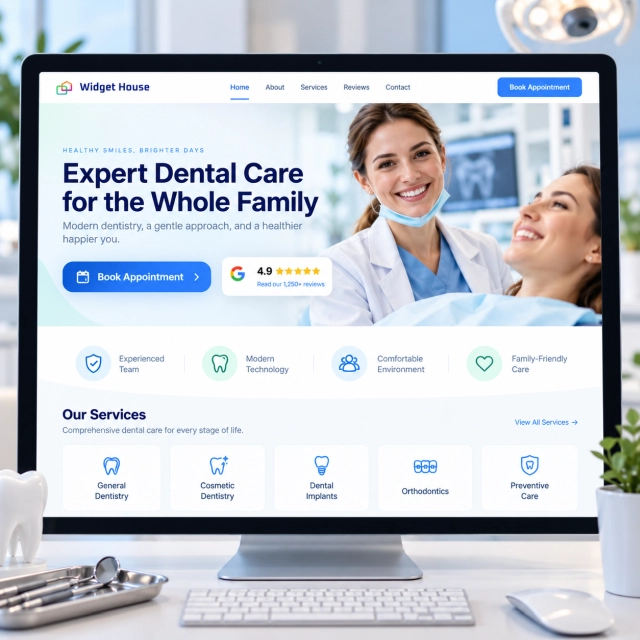
Choosing a dentist is not the same as choosing a coffee shop or a delivery service. A prospective patient may be thinking about pain, anxiety, treatment quality, communication, cost, scheduling, or whether the practice will be comfortable for a child.
That makes trust one of the most important jobs of a dental website. Google Reviews can help, but only if they appear where the patient is actually deciding whether to book.
Why Google Reviews Matter on a Dental Clinic Website
A dental website has to reduce uncertainty before it asks for an appointment.
The American Dental Association notes that prospective patients use online reviews to evaluate healthcare providers, including dentists. An ADA Health Policy Institute survey cited by the association found that 88% of surveyed dentists had received online patient reviews.
A star rating can provide a fast reputation signal. Review text can answer the questions that a number alone cannot:
- Was the team calm and reassuring with an anxious patient?
- Did the dentist explain the treatment clearly?
- Was the office organized and easy to schedule with?
- Did parents feel comfortable bringing children to the practice?
- Did patients mention waiting time, communication, or follow-up?
Those are exactly the kinds of details a patient may look for before calling or booking online.
Source: American Dental Association - Protect your practice’s reputation.
Use Case: From Local Search to Book Appointment
The strongest use of a review widget is not a large testimonial block at the bottom of the site. It is social proof placed at the next decision point.
1. Discovery
A patient finds the clinic through Google Search, Google Maps, an ad, or an AI-assisted recommendation.
2. Verification
They open the clinic website to confirm services, location, insurance information, team credibility, and reputation.
3. Reassurance
A Google Reviews badge or review section provides recognizable third-party proof without forcing the visitor back to Maps.
4. Action
The patient books an appointment, calls the office, or submits a contact form with less uncertainty.
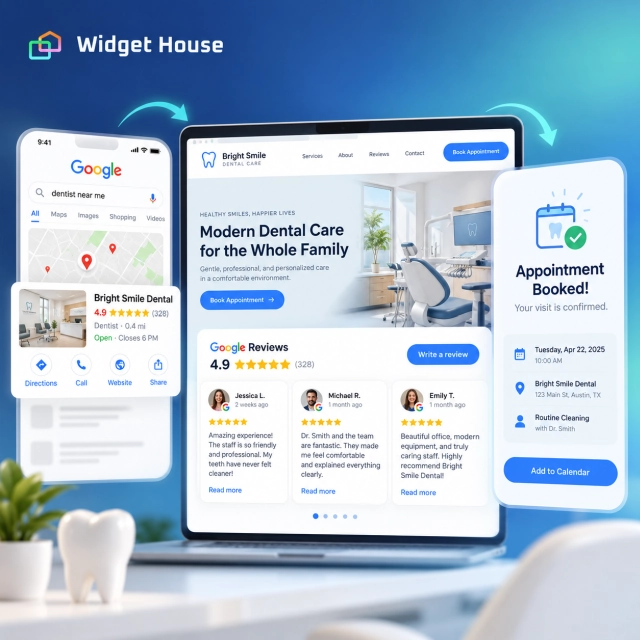
The review widget should support the appointment decision, not compete with it.
Best Google Reviews Widget Placements for Dental Clinics
Different pages need different amounts of social proof.
| Dental page | Recommended layout | Why it fits |
|---|---|---|
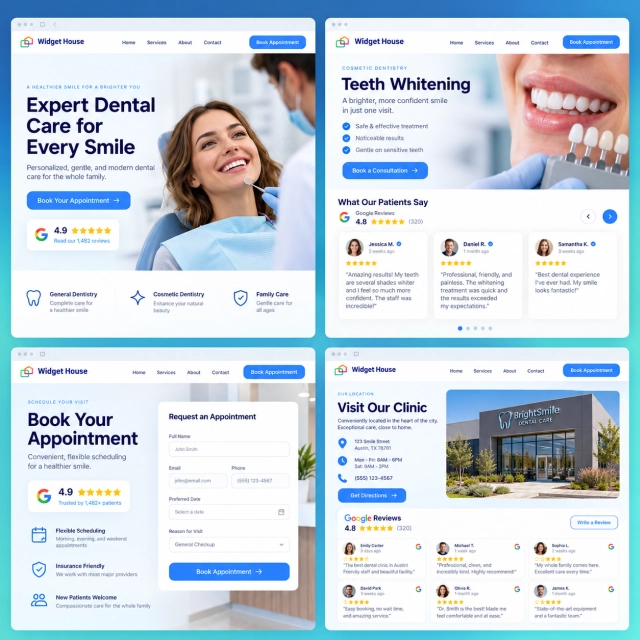
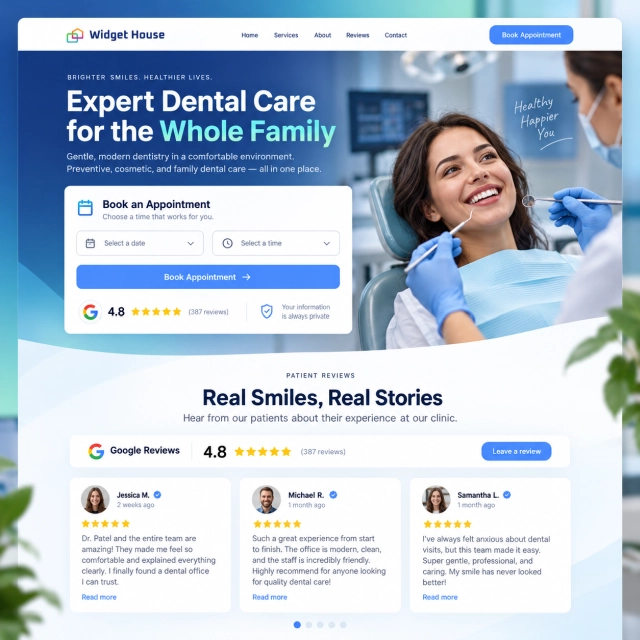
| Homepage hero | Badge | Adds a fast reputation signal beside the main appointment CTA without taking over the hero. |
| Treatment page | Slider or Carousel | Lets patient experiences reinforce a page about implants, whitening, orthodontics, emergency care, or another service. |
| Location page | Grid | Provides more review depth for visitors evaluating a specific office before booking. |
| Appointment or contact page | Badge | Reassures the visitor at the moment of commitment without adding another long section. |
| Dedicated reviews page | Grid or Wall | Gives visitors who actively want social proof more room to explore feedback. |
For a full comparison, see Google Reviews Widget Layouts for Every Page.
This follows the broader Widget House layout strategy: use compact formats such as Badge near high-intent actions, Carousel or Slider when reviews should persuade inside a page, and Grid or Wall when visitors deliberately want to explore more feedback.
For most dental clinic homepages, a practical combination is Badge near Book Appointment + Carousel lower on the homepage + Grid on the location or reviews page.
Example: A Dental Implant Service Page
A high-consideration treatment page is a good example of where review proof can support the content without replacing it.
Imagine a dental implant page with this structure:
- Clear explanation of who the treatment is for.
- Benefits, process, recovery expectations, and consultation details.
- A focused review section showing relevant patient experiences.
- A clear consultation CTA.
The reviews should not be used as a substitute for clinical information. Their job is different: they help answer the emotional question behind the page - “Can I trust this practice enough to take the next step?”
Useful role for reviews
Reinforce communication, comfort, organization, staff experience, and confidence in the practice.
What reviews should not replace
Clinical explanations, treatment limitations, pricing disclosures, informed-consent information, or professional advice.
Patient Privacy and HIPAA: What Dental Clinics Should Keep in Mind
Healthcare reviews need more care than ordinary ecommerce testimonials.
The ADA warns that a patient does not waive privacy rights simply by posting a public review. When dental practices respond online, they should avoid confirming that the reviewer is a patient or revealing treatment information. The association recommends broad, privacy-safe responses rather than discussing an individual case.
This is not theoretical. In 2022, the U.S. Department of Health and Human Services Office for Civil Rights announced a $23,000 settlement with a dental practice over impermissible disclosure of patient protected health information in responses to online reviews.
Sources: American Dental Association and HHS Office for Civil Rights.
For clinics that want a conservative trust signal near an appointment CTA, an aggregate Badge can be especially useful because the page can show the rating and review count without making individual patient stories the dominant element.
How Dental Clinics Should Ask for Google Reviews
The safest review strategy is neutral, consistent, and based on genuine patient experiences.
Google allows businesses to ask customers for reviews and provides a review link and QR code that can be shared in email, messaging, printed materials, or other appropriate follow-up. Google also prohibits incentives for reviews and prohibits selectively soliciting positive reviews while discouraging negative feedback.
Sources: Google Business Profile Help - Create a review link or QR code and Google Maps user-generated content policy.
Better approach
- Ask for honest feedback.
- Use the same neutral request process consistently.
- Make the Google review link easy to open.
- Use a QR code where appropriate.
- Keep the request short and optional.
Avoid
- Discounts or gifts in exchange for a review.
- Requests specifically for five-star ratings.
- Only asking patients who say they are happy.
- Pressuring patients to post while still in the office.
- Asking patients to include specific names or treatment details.
For neutral request templates and a step-by-step process, read How to Get More Google Reviews.
How Widget House Fits the Dental Clinic Use Case
The value of a dedicated reviews widget is that the clinic does not need to manually rebuild review cards for every page.
With the Widget House Google Reviews Widget, you can connect Google reviews, choose a layout, customize the design, preview the result, and add the finished widget to the website. The current Google Reviews product supports multiple layouts including Badge, Carousel, Carousel Photos, Slider, Grid, List, Sidebar, and Wall.
That flexibility matters for a dental website because one review layout rarely fits every step of the patient journey.
Preview your Google Reviews with a compact Badge for booking pages, a Carousel or Slider for treatment pages, and a Grid for a location or dedicated reviews page.
For a dental clinic, the most useful customization is not decoration for its own sake. It is being able to match review density to the page: a small signal when the patient is ready to book and a richer section when the patient is still evaluating the practice.
A Simple Implementation Plan for a Dental Website
1. Start with the homepage
Add a Badge near the primary appointment CTA and a richer Carousel lower on the page.
2. Add proof to major treatments
Use a Slider or Carousel on your highest-intent service pages where trust is a common barrier.
3. Strengthen location pages
Give each office enough space for deeper reputation proof with a Grid or similar layout.
4. Recheck privacy and mobile behavior
Review what patient content is visible, test the layout on mobile, and confirm the appointment CTA remains easy to use.
For the distinction between website trust and search visibility, see Do Google Reviews on Your Website Help SEO?
Frequently Asked Questions
What is the best Google Reviews widget layout for a dental clinic homepage?
A Badge is a strong choice beside the main Book Appointment CTA because it adds quick reassurance without distracting from the next step. A Carousel can provide richer review proof lower on the homepage.
Where should a dentist display Google reviews?
Useful placements include the homepage, treatment pages, location pages, appointment or contact sections, and a dedicated reviews page. The layout should become richer only when visitors need more proof.
Can a dental clinic ask patients for Google reviews?
Google allows businesses to request genuine reviews and provides review links and QR codes. Businesses should not offer incentives, pressure users, or selectively solicit only positive reviews.
Can dentists respond to patient reviews?
They need to be careful. The ADA advises dentists not to confirm that a reviewer is a patient or disclose treatment information. HIPAA, state privacy laws, and other rules may apply.
Should a dental clinic show individual reviews or only a rating badge?
It depends on the page and the practice’s compliance approach. A Badge works well for compact reassurance. Richer review layouts can provide more context on treatment or location pages, but dental practices should consider privacy implications before prominently republishing identifiable patient content.